 Bareban
Your own workflow
Rename columns, drag cards, add due dates, and filter by color labels. Use separate boards for different projects.
A simpler way to keep track
Side projects, study plans, everyday tasks. Give them a place, move them along, and see what’s done.
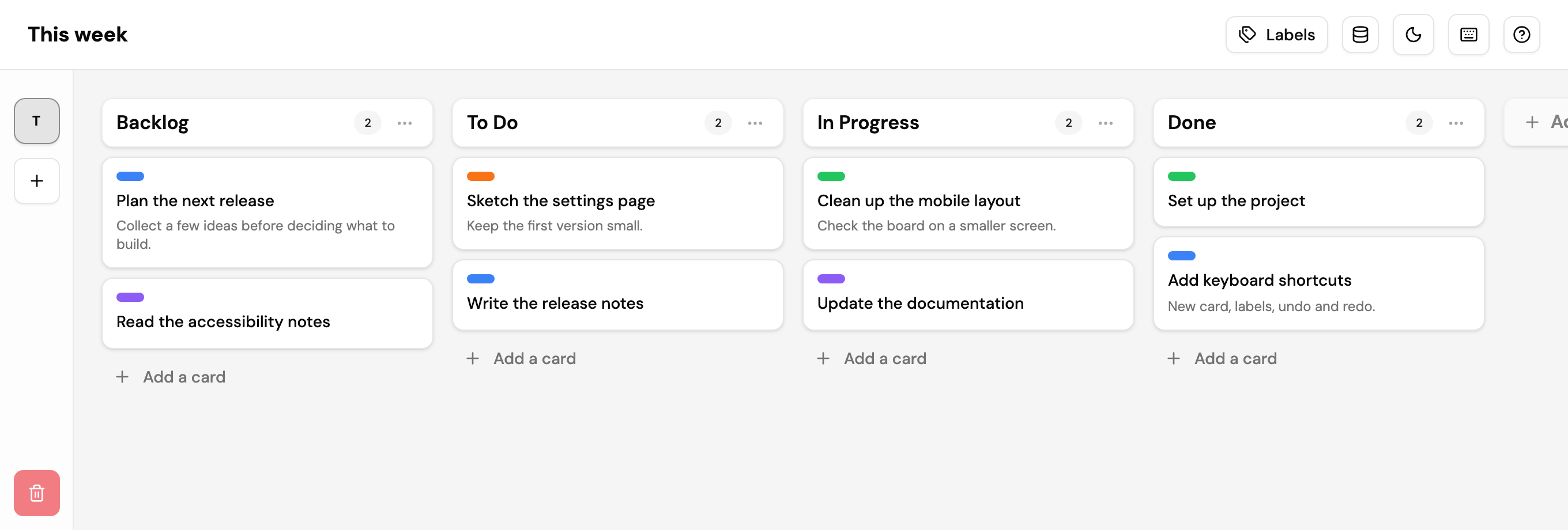
Rename columns, drag cards, add due dates, and filter by color labels. Use separate boards for different projects.
Tasks stay in this browser. No accounts, cookies, or trackers. Export your boards to keep a backup or move devices.
N for a new card. L for labels. U to undo and R to redo. Light and dark themes included.
In your browser’s local storage, on the device you’re using. There’s no cloud sync. Clearing browser data can remove your boards, so use Export Boards in the app to keep a backup.
Yes, after your first visit to the app. You can also install Bareban from a supported browser to open it like a regular app.
Export your boards as a .bareban file, transfer it to the other device, and use Import Boards there. Boards don’t sync automatically.
Yes. Bareban is free to use. No account or subscription is needed.